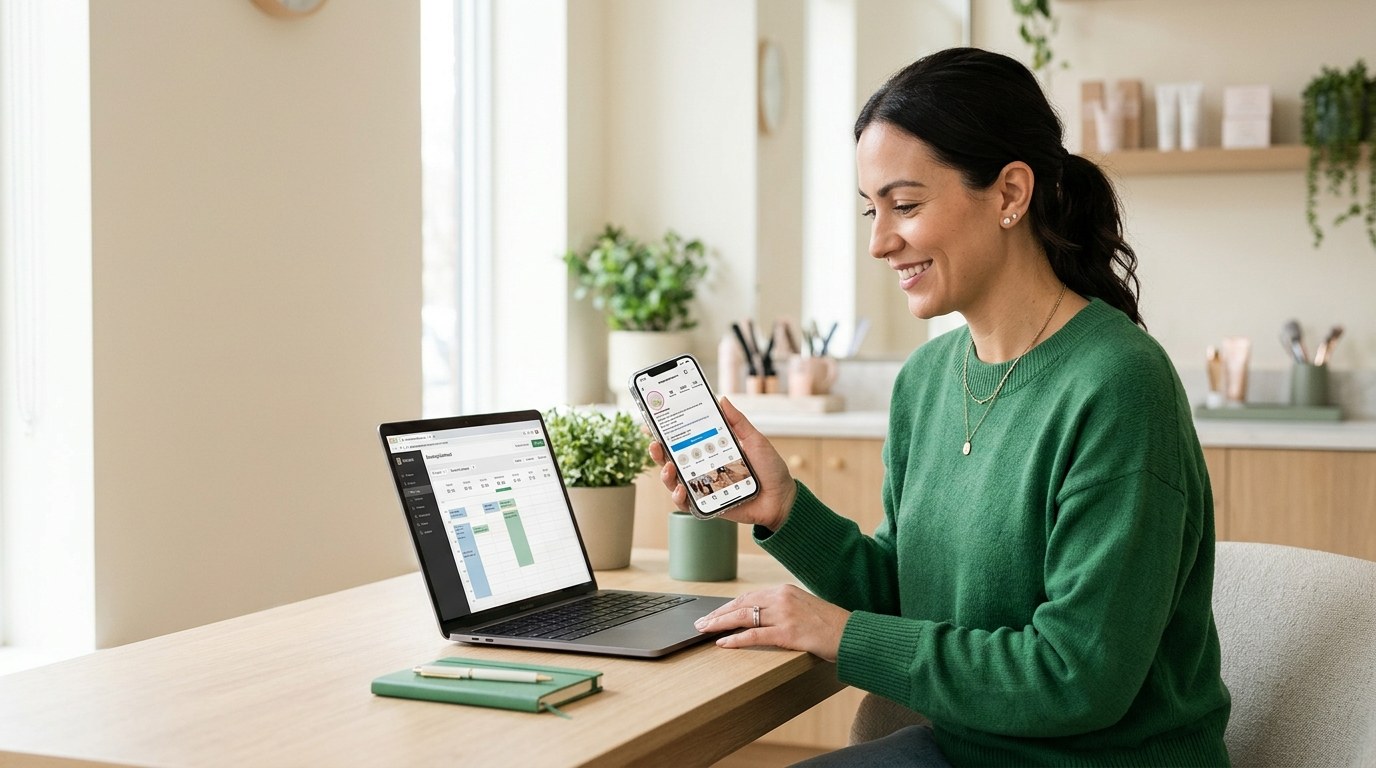
To add an online booking button on Instagram and Facebook, all you need is a professional business profile, an active link from your booking platform, and three minutes in the "Action Button" settings of each app. Once you connect your booking page, clients can view your real-time availability and book slots directly from your profile without waiting for a DM reply or a phone call. With peak seasonal demand always around the corner, this simple setup saves hours of daily back-and-forth communication.
What you need before getting started
Before diving into your social media settings, ensure your Instagram account is switched from personal to professional (Business or Creator). Personal accounts cannot display action buttons and do not support linking to your Facebook Business Page via Meta Business Suite.
Second, you need the unique link to your booking page. Many small businesses—such as hair salons, barber shops, medical clinics, physical therapists, and nail salons—use a one-page business website that displays services, pricing, and an appointment calendar on a single screen. Also, make sure your booking software syncs with Google Calendar or Outlook to prevent double bookings.
How to set up Instagram appointments step-by-step
On Instagram, most potential clients head straight to your bio and Stories. To enable Instagram appointments directly from your profile, follow these steps:
- Open your professional profile in the app and tap Edit Profile.
- Select Action Buttons and then choose Book Now.
- If your booking provider is an integrated Meta partner, select it and log in. If you use a specialized booking system like kalendar, add your URL to the Links section of your bio with a clear title such as "Book an Appointment 24/7".
- Save your changes and tap the link on your mobile phone to verify that the booking form loads quickly.
Beyond your bio, make smart use of the Link Sticker in your Instagram Stories. Whenever you post about a last-minute opening or showcase fresh work, add a sticker saying "Book your slot here" so followers can jump straight to your schedule with a single tap.
How to activate the Facebook booking button on your page
On your Facebook Business Page, the primary call-to-action button right under your cover photo gets top visibility. Adding a Facebook booking button takes only a few seconds:
- Visit your Facebook Page on desktop or mobile and click the three dots below your page name.
- Select Add Action Button (or Edit Action Button if you already have a contact or message button).
- Choose the Book Now category.
- Select Link to website and paste your online booking form URL.
- Click Save and review the result using the "View As" visitor mode.
Using the "Link to website" option is far more effective than Facebook's built-in appointment tool because it drives clients directly to your centralized calendar. This ensures automated SMS or email reminders fire on schedule, client records update seamlessly, and deposits can be collected upfront if required.
How to maximize social media bookings
Adding the button is just the first step; converting profile visits into confirmed slots depends heavily on how frictionless your booking flow is. To prevent drop-offs, you need to make the booking process easier than ever, keeping it down to three quick steps: select a service, pick a date and time, and enter contact details.
- Clear services and durations: Use transparent service names with precise durations, such as "Women's Haircut & Blow-dry – 60 min" or "Physiotherapy Assessment – 45 min".
- Automated reminders: People who book casually on their phones late at night need an automated SMS or email reminder before their visit to minimize no-shows.
- Up-to-date business hours: Especially ahead of bank holidays and busy periods, ensure your holiday schedule in your online calendar is properly configured so bookings only land during working hours.
Common mistakes that cost you clients
Many businesses set up their buttons but miss out on bookings due to minor technical oversights. Watch out for these four common pitfalls:
- Using multi-link landing pages: Directing visitors to an intermediary screen with 7 different links creates friction, prompting many to exit before reaching the booking page.
- Neglecting mobile testing: Over 90% of social media traffic comes from mobile devices, so your booking form must load smoothly without requiring zooming or horizontal scrolling.
- Unsynced schedules: If you take telephone bookings on paper and fail to log them digitally, the online button will accidentally double-book that slot.
- Never mentioning the link in posts: Wrap up your regular social posts with a simple call to action, like "Book your next visit via the link in our bio."
Frequently Asked Questions
Do I need a custom website to add a booking button on Instagram and Facebook?
Not necessarily. All you need is the direct link provided by your online booking platform, which acts as a standalone page featuring your services, schedule, and live calendar.
How can I track how many bookings originate from social media?
Both Instagram Insights and Meta Business Suite monitor link and action button clicks. By comparing click volume against new bookings in your calendar, you can easily identify which posts or Stories drive the highest revenue.
Can I charge an upfront deposit for bookings via Instagram and Facebook?
Yes, provided your booking platform supports online payment gateways. Collecting a deposit via Viva Wallet or PayPal upon booking secures client commitment and drastically cuts down on cancellations.
What happens if someone books online while I am scheduling another client by phone?
When your booking software syncs in real time with Google Calendar, Outlook, or Microsoft 365, confirmed slots are locked instantly across your entire team's schedules, eliminating overlaps.
Head over to your Instagram and Facebook profile settings today, add your booking URL, and publish a Story with a Link Sticker to test the customer journey firsthand.
Looking for a complete booking solution for your business's social channels? kalendar delivers a sleek one-page site, 24/7 online scheduling, automated SMS/email reminders, and seamless calendar syncing. Take advantage of our free plan to get started right away, complete with client record management and instant deposits or payments deposited directly into your Viva Wallet or PayPal account.