Everything an appointment needs, in one place
Everything Kalendar does, grouped the way you will actually use it. Every plan includes the basics; the comparison on the pricing page shows what sits where.
Appointment types
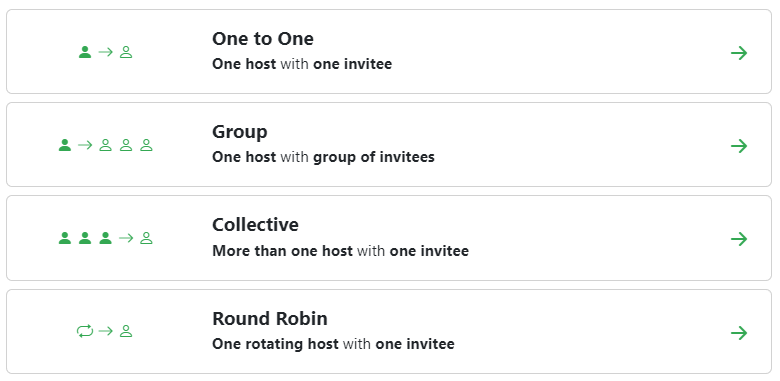
An appointment type is one service you offer, with its own link, duration, price and rules. Create as many as you have services.
- One-to-one — you and a single client, the everyday appointment.
- Group — one host and several invitees on the same slot, with a cap on places.
- Collective — several of your people attending the same appointment together.
- Round robin — bookings shared out across a team, going to whoever is free.
- A duration per service, from a few minutes to several hours.
- Booking questions per type, so you get what you need before they arrive.
- Your own cancellation policy, shown to the client before they confirm.
- Rescheduling on or off per type, within limits you set.
- Extra links on the confirmation page — directions, preparation notes, forms.
- An icon and a description per type, so the booking page reads clearly.
Availability
The hard part of scheduling is not the calendar, it is the rules around it. Kalendar keeps yours.
- Multiple schedules per person — weekdays, Saturdays, a summer timetable.
- A different schedule per appointment type.
- Buffer time before and after, for turnaround, notes or travel.
- Minimum notice, so nobody books you for ten minutes from now.
- How far ahead the calendar opens.
- Time zones handled for you — the client sees their own local time.
- Your connected calendars are read before a slot is offered, so you are never double-booked.
A website for your business
Your Kalendar link opens on a one-page website of your own, instead of a plain list of services. No separate site to build, host or keep in step with your appointments.
- Five ready colour sets — or your own primary, background and text colours.
- Three font styles, three corner styles, and a split or centred header.
- A cover photo, a headline, an introduction and up to three key facts.
- Your services read live from your appointment types, with duration, price and who you will see.
- Every service links straight to its free times, so a visitor books in one step.
- An About section in your own words.
- A Team section with the people you pick and the role of each one.
- Up to twelve client reviews you choose to show, with stars.
- Contact details, a map of your address, opening hours and social links.
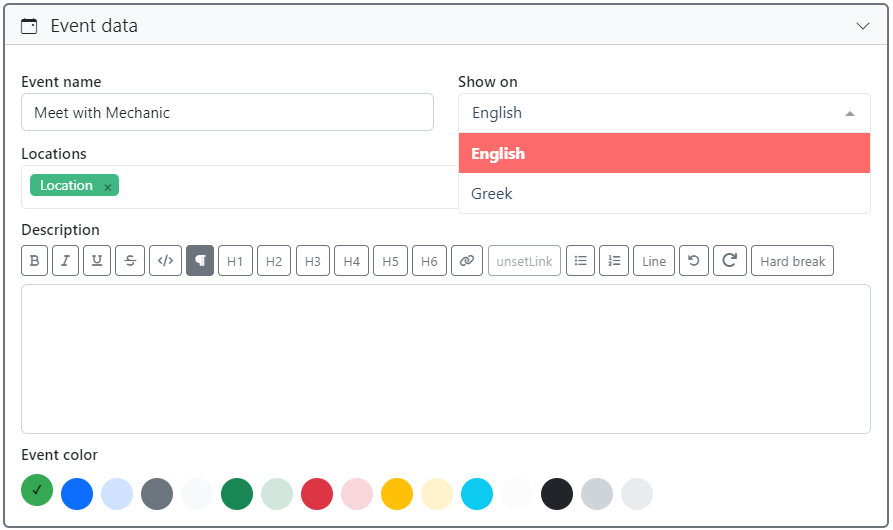
- Written in Greek, English or both, with a language switch for visitors.
- The booking, confirmation and client portal pages take on the same colours.
- A live preview while you edit — nothing goes public until you switch it on.
- On every paid plan. Set it up on the free plan and it goes live when you upgrade.
Clients and the client portal
Every booking builds a record. Over time that record is worth more than the calendar.
- A card per client, created automatically from their first booking.
- Custom fields that suit your trade — and a ready-made set for each business type.
- Full appointment history, past and upcoming.
- Private notes and tags, visible only to your organisation.
- Cancellation and no-show counts kept per client.
- Search across every client and every field.
- Import an existing list from CSV or Excel, and export it again whenever you want.
- Billing details on the card, for the receipts and invoices you issue.
- A private portal link where the client sees their own appointments and details.
- Clients can reschedule from that page, without an account or a password.
- Your notes, tags and no-show counts never cross into the client’s page.
Consent forms and digital signatures
Your GDPR notice, your terms of cooperation and your consent declarations are signed inside the booking — and stay on file with the exact text the client read.
- Your own forms: a GDPR notice, terms of cooperation, a cancellation policy, consent declarations.
- Ready-written text per trade, which you adapt to how your own business works.
- Each form attached to whichever appointment types need it.
- Accepted with a tick, or with a full name and a signature drawn on screen.
- Mandatory forms that will not let a booking complete without them.
- Once per client, or at every appointment, depending on what the form says.
- Every signature keeps a copy of the text, the date, the time and the IP address.
- Editing the text creates a new version and asks for a fresh signature at the next appointment.
- Download any signed form as a PDF, for the client’s folder.
- A withdrawal is recorded rather than wiping the history.
- Clients see what they have signed, and when, on their own page.
Payments and deposits
Ask for money at the moment of booking — the point at which a client is most likely to pay, and least likely to no-show.
- Connect your own Viva Wallet or PayPal account.
- A price per appointment type — the full fee or a deposit.
- Payment taken during booking, before the slot is confirmed.
- Funds go straight to your account; Kalendar never holds them.
- Payment status recorded against the appointment and the client.
- Test your keys against the provider before going live.
- Turn a provider off, or disconnect it, without touching your appointment types.
Receipts and invoices
The appointment is paid, so the document should already exist. Kalendar issues it from the booking, numbers it properly and keeps the archive.
- Receipts and invoices, issued to a client from the appointment itself.
- Credit notes issued against a document that was already given out.
- Your own numbering series, continuous and per year, with no gaps.
- VAT per line, or a VAT exemption with the reason printed on the document.
- Your business details, the client’s and every amount frozen onto the document as it was issued.
- An invoice asks for the client’s VAT number and billing details before it is issued.
- A document issued automatically the moment an online payment goes through, if you want it.
- Every document as a PDF, to send or to print.
- The full archive searchable by client, by date and by number.
Import and export
Your client list came from somewhere and should be able to leave again. Both directions are a file.
- Import your existing clients from a CSV or an Excel workbook.
- Download a ready-made template with the right columns, if the list is not in a system yet.
- Match the columns yourself before anything is written — nothing is imported on a guess.
- A preview of what was found in the file, and a report of what came in.
- Custom client fields are imported and exported along with the standard ones.
- Export the whole client list as CSV or Excel, at any time.
- Nothing locks your data in: what you put in, you can take out.
Automations
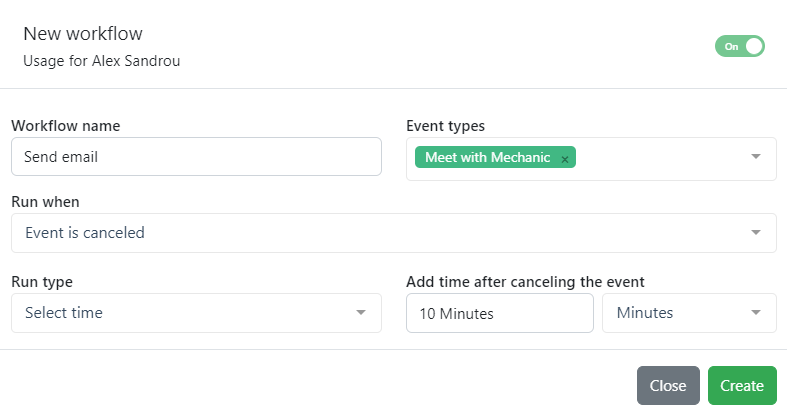
A workflow is a rule: when this happens, do that. Set them once and stop chasing people.
- Triggers on booking, before an appointment, after it, and on cancellation.
- Email your client, email your own people, or call a webhook.
- Timing in your own terms — 24 hours before, an hour after, on the day.
- Edit the wording of every email the application sends.
- Attach a workflow to as many appointment types as you like.
- Send from your own Gmail or Microsoft 365 mailbox, connected with one sign-in.
- Send the same confirmations and reminders as an SMS, on a paid plan.
SMS to clients
Some clients never open an email. A text arrives on the phone that is already in their hand.
- Booking confirmation, reminder, cancellation, change of time, and a booking waiting to be paid.
- Switch each message on or off on its own — send only the reminder, if that is all you want.
- Edit the wording of every message, in Greek and in English.
- The same placeholders the emails use: client name, date, time, place or meeting link.
- Each client gets the text in the language their appointment was booked in.
- Reminders go out on the same trigger as the appointment type’s email reminder.
- Sent through your own Apifon account, under your own approved sender name.
- Every message sent is recorded, so you can see what went where.
- On every paid plan. Apifon charges you for the messages directly.
Routing forms
When "book a meeting" is the wrong first question, ask a better one and let the answers decide where the client lands.
- Build a short form with the fields you choose.
- Write rules that send each combination of answers to a different appointment type, person or team.
- Send an enquiry that is not a booking somewhere else entirely.
- Every submission is logged, so you can see what people asked and where they went.
- One link to share, instead of a list of links to explain.
Users, teams and permissions
Kalendar is built around an organisation, not a single person. Add colleagues and decide what each of them can reach.
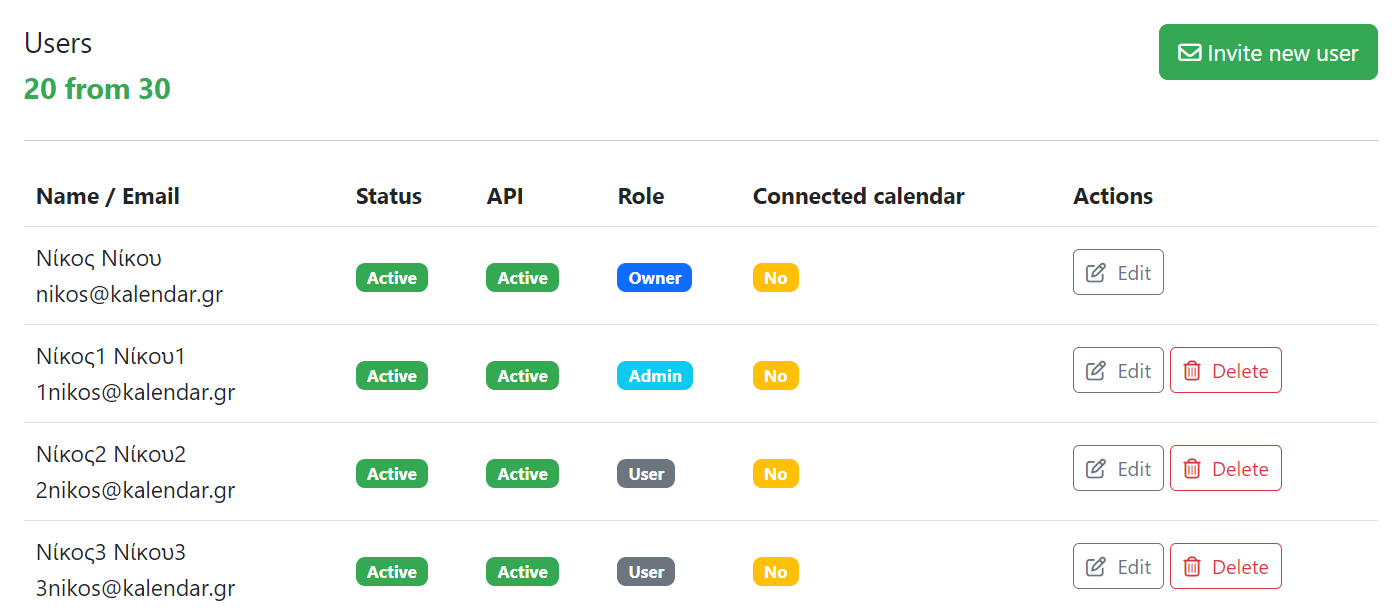
- Invite users by email; they join your organisation with their own login.
- User types — a named set of permissions you build once and give to as many people as you like.
- A permission per area of the application: whether it opens at all, and whether it can be changed.
- Areas cover appointments, clients, availability, consents, receipts and invoices, payments, reporting and company settings.
- The owner’s access cannot be ticked away, so an organisation can never lock itself out.
- Change a user type and everyone on it changes with it.
- Teams with their own members, administrators and appointment types.
- Round robin and collective appointments across a team.
- A schedule and a booking link per person.
- One person can belong to several organisations and switch between them.
- An activity log recording who changed what, and when.
Reporting
What actually happened, rather than what the calendar looked like.
- Completed, cancelled and total appointments over any period.
- A trend against the period before.
- Average duration of a completed appointment.
- A breakdown by appointment type.
- A breakdown by date, to show where the busy weeks are.
- Filter by appointment type or by client.

Integrations
Kalendar sits alongside the tools you already have rather than asking you to leave them.
- Google Calendar — read for conflicts, written to on booking.
- Microsoft 365 and Outlook Calendar, the same way.
- Google Meet links created automatically for online appointments.
- Zoom meetings created on your own Zoom account.
- Microsoft Teams meetings, the same.
- Sign up and log in with Google or Microsoft.
- Send email from your own Gmail or Microsoft 365 mailbox.
- Text your clients through your own Apifon account, on a paid plan.
- Viva Wallet and PayPal for taking payment.
- Webhooks from any workflow, into anything that accepts one.
- A documented REST API for everything else.
Kalendar only ever creates entries in your calendar. It never edits or deletes anything that was already there.
Security and privacy
Appointment data is personal data. It is treated that way.
- HTTPS everywhere, and encryption at rest.
- A daily backup of every organisation’s data.
- A full activity log of changes to appointments, clients and settings.
- Per-user permissions, so people see only what they should.
- GDPR-aligned: minimal collection, export or deletion on request.
- Calendar access limited to creating entries — never editing or deleting yours.
- Payment credentials stored encrypted, and never shown back in full.
- Client portal links are unguessable and can be regenerated at any time.
Start taking bookings today
Create your account, pick your line of work, and your booking page is ready in a few minutes. Free plan, no card, nothing to install.
No card required · Free plan forever